Freshly Printed - allow 7 days lead
Couldn't load pickup availability
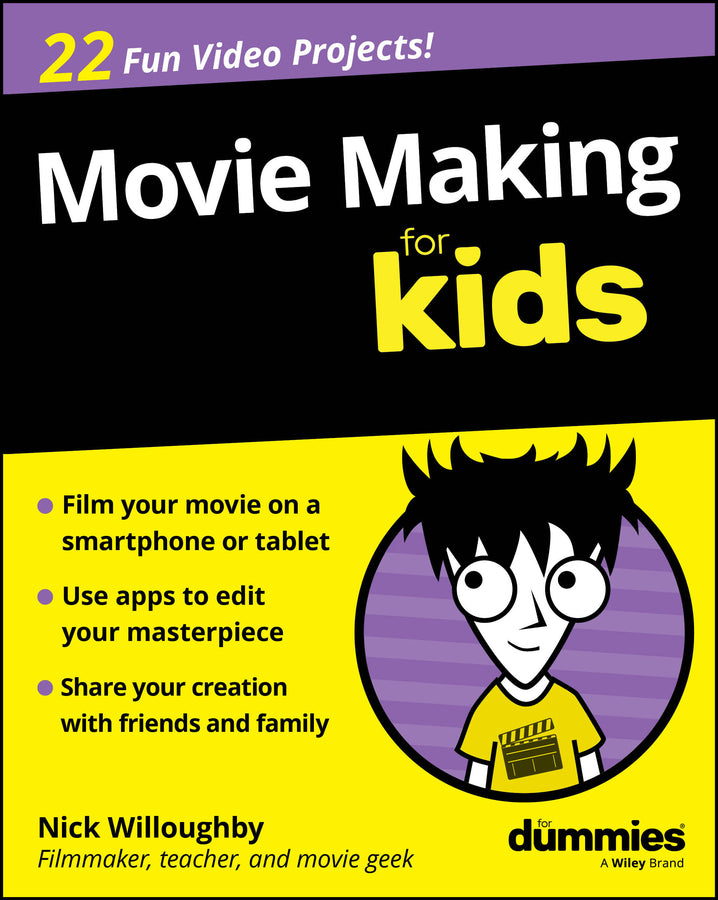
Movie Making For Kids For Dummies
Nick Willoughby (Author)
9781394391684, Wiley
Paperback / softback, published 18 March 2026
336 pages
23.1 x 18.5 x 2.5 cm, 0.454 kg
Discover what it takes to be a movie maker! Do you have a smartphone and a bit of spare time? Feel like making a movie? Movie Making For Kids For Dummies, by experienced director and filmmaking teacher Nick Willoughby, walks you through the basics of creating a movie. Explore the process from start to finish, from pulling together the necessary equipment (which is cheaper and more available than ever!) to shooting and editing. Willoughby shows you how to film with just your smartphone or your tablet and how to use app-based tools for both filming and editing. You'll learn how to capture sound, light your scenes, and stabilize your shots with widely available accessories. You'll also discover: Great for kids at filmmaking camps, classes, and courses, Movie Making For Kids For Dummies is also a fantastic book for parents and teachers of kids who want to get into filmmaking.
Introduction 1 About This Book 2 Foolish Assumptions 3 Icons Used in This Book 4 Beyond the Book 4 Where to Go from Here 5 Mission 1: Understanding the Basic Movie Making Process 7 Project 0: Getting Started Making Movies 9 The Movie Making Process 10 Lights, Camera, What? 13 What Every Movie Maker Needs 17 Life as a Filmmaker 18 Project 1: Getting to Know Your Camera 21 How Does Your Camera Work? 22 Deciding on a Camera to Use 24 Choosing a Video Camera App 34 Recording and Importing Footage 44 Try It Out Yourself 51 Project 2: Framing a Great Shot 53 Learning the Rule of Thirds 54 Choosing the Right Shot 56 Choosing between a Fixed-Camera Position and a Moving Camera 63 Try It Out Yourself 69 Project 3: Making Your Movie Sound Good 71 Using the Built-In Microphone 72 Recording with External Microphones 74 Recording Sound Separately 80 Try It Out Yourself 82 Project 4: Getting the Best Lighting 83 Using Natural Light 84 Using Extra Lights 88 Lighting Your Movie 90 Try It Out Yourself 95 Project 5: Adding Magic by Editing 97 Choosing an Editing Tool 98 Creating a New Project 101 Importing Your Footage 102 Creating a New Timeline 105 Adding Selected Footage to a Timeline 107 Adding Transitions 112 Exporting Your Video 115 Mission 2: Making a 60-Second Movie Trailer 119 Project 6: Planning Your Movie Trailer 121 Coming Up with an Idea 122 Structuring Your Trailer 126 Listing the Shots You Want to Shoot 129 Try It Yourself 130 Project 7: Shooting Your Trailer 131 Essentials before Shooting 132 Directing Your Movie 132 Shooting Tips 136 Checking Your Shots 139 Try It Out Yourself 140 Project 8: Setting the Pace and Mood with Editing 141 Arranging Your Footage on the Timeline 142 Adding Music 145 Adjusting Brightness and Contrast 152 Adding Titles 155 Mission 3: Making a Documentary 161 Project 9: What Makes a Good Documentary? 163 What Is a Documentary? 164 Considering Documentary Film Styles 164 Picking a Topic for Your Documentary 166 Structuring Your Documentary 167 Try It Out Yourself 171 Project 10: Shooting Your Documentary 173 Creating a Short Summary to Introduce Your Topic 174 Trying Some Interviewing Techniques 175 Recording Clean Sound 177 Filming Cutaways 178 Creating the Perfect Ending 179 Try It Out Yourself 180 Project 11: Overlaying and Underlaying in Editing 181 Preparing Your Documentary in the Timeline 182 Recording a Voiceover 183 Adding a Voiceover Under Your Footage 188 Adding Footage Over Your Interviews 190 Adding Credits 193 Mission 4: Creating Your First Short Narrative Movie 203 Project 12: Assembling Your Movie Crew 205 Who Can Help? 206 Roles in a Team 207 Understanding Your Role 209 Building a Team 211 Try It Out Yourself 211 Project 13: Telling Your Story 213 What Makes a Good Story? 214 Creating Your Characters 217 Writing Your Story on One Page 218 Creating a Scene Selection 219 Writing the Script 220 Writing Dialogue 221 Project 14: Location Hunting and Props 223 Finding the Right Locations for Your Movie 224 Do You Have Permission? 226 Choosing Props and Costumes 227 Try It Out Yourself 229 Project 15: Choosing Actors for Your Movie 231 Running Auditions 232 Rehearsing Your Scenes 236 Getting the Best from Your Actors 236 Try It Out Yourself 237 Project 16: Planning Your Shots with a Storyboard 239 Creating a Storyboard 240 What to Include in Your Storyboard 242 Try It Out Yourself 244 Project 17: Enhancing Your Shots 245 Viewing the Same Scene from Different Angles 246 Adding Levels to Your Movie 248 Crossing the Line 253 Try It Out Yourself 256 Project 18: Making It Sound Even Better 257 Adopting Microphone Techniques for Dialogue 258 Dealing with Wind 260 Checking Sound Levels as You Record 261 Try It Out Yourself 264 Project 19: Adding Mood with Lighting 265 Using Shadows and Lighting Effects 266 Using Colored Gels and Filters 269 Getting the Best from Daylight 272 Try It Out Yourself 273 Project 20: Time to Film 275 Directing Your Movie 276 Logging Your Shots 277 Checking Your Shots 281 Try It Out Yourself 282 Mission 5: Making Magic After Filming 283 Project 21: Getting the Movie Look with Editing 285 Editing Angles and Shots Together 286 Editing Dialogue and Inserting Reaction Shots 290 Creating the Movie Look with Color and Effects 295 Enhancing the Sound 304 Try It Out Yourself 308 Project 22: Getting a Movie Review 309 Reviewing Your Work 310 Getting Feedback from Others 313 Try It Out Yourself 314 Index 317
Subject Areas: Society & culture: general [JF]