
Freshly Printed - allow 7 days lead
Couldn't load pickup availability
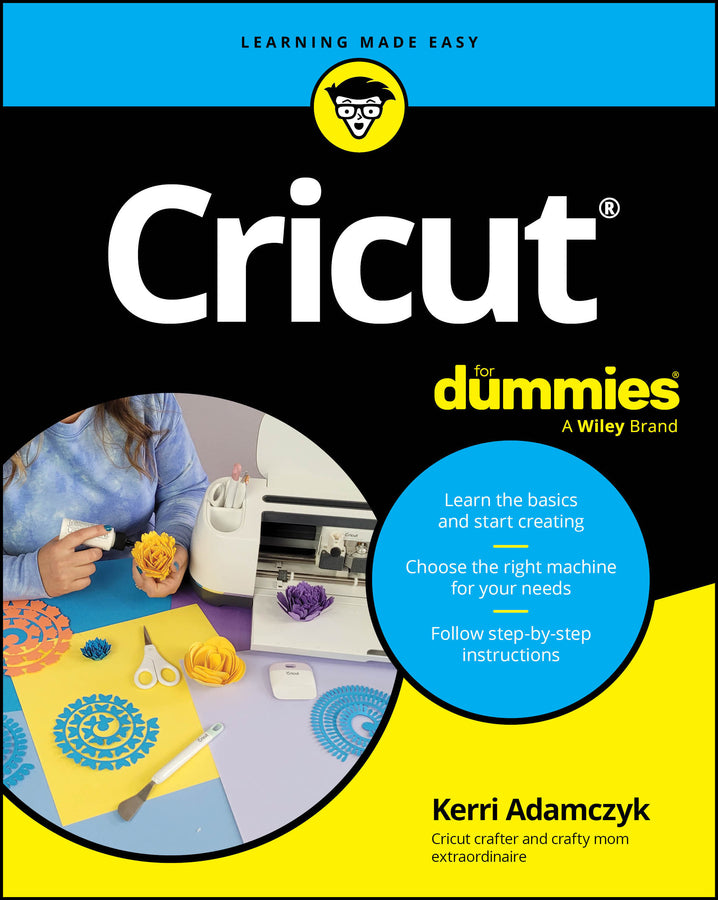
Cricut For Dummies
Kerri Adamczyk (Author)
9781394309504, Wiley
Paperback / softback, published 12 June 2025
336 pages
22.9 x 18.3 x 2.3 cm, 0.476 kg
Your simple guide to the DIY die-cutting machine that lets you create without limitations Your new Cricut can help you cut paper, vinyl, fabric, and beyond. Perfect for DIY enthusiasts, scrapbookers, and professional designers, Cricut machines are favorites among makers of all types. Cricut For Dummies gives you clear, simple instructions for using a Cricut machine, so you can start creating today. You'll learn how to achieve intricate, precise cuts, much faster than would be possible by hand. This step-by-step guide shows you how to make greeting cards, fun labels, personalized clothing, stickers, and even unique wood or leather goods. Don't have your Cricut yet? No problem! Cricut For Dummies explains the differences between the models and how to choose the best machine for your needs. This book is for anyone who wants to learn how to use a Cricut machine to design, create, or perfect their craft. Cricut For Dummies is ideal for beginners who have no experience using a cutting machine, and it's a handy reference for those who want to improve their Cricut skills.
Introduction 1 About This Book 1 Foolish Assumptions 2 Icons Used in This Book 2 Beyond the Book 3 Where to Go from Here 3 Part 1: Getting Started with Your Cricut 5 Chapter 1: Welcome to the World of Cricut 7 Cricut 101: What It Is and What It Does 8 Making Cool Stuff with a Cricut 8 Joining the Cricut Community 9 Chapter 2: Choosing the Right Cricut for You 11 The Cricut Maker Series 12 The Cricut Explore Series 15 The Cricut Joy Series 17 The Cricut Venture 19 Where to Buy a Cricut 21 Chapter 3: Setting Up Your Cricut 23 Firing Up Your Cricut 23 Syncing Your Cricut with Your Computer 24 Creating Your Cricut Account 27 Getting Cricut Design Space Up and Running 28 Chapter 4: Checking Out Cricut Tools and Materials 39 Looking at Tools and Accessories for All Cricut Machines 39 Choosing the Right Cricut Mat 41 Surveying Smart Materials 43 Cutting with Basic Blades 43 Writing and Drawing with Pens and Markers 44 Adding Accents with a Foil Transfer Kit 47 Making Lines with the Scoring Stylus 49 Staying Sharp with the Bonded-Fabric Blade 52 Trying Out Cricut Maker Series Tools 53 Picking the Right Heat Press 56 Customizing Items with Blanks 60 Chapter 5: Keeping Your Cricut in Top Shape 63 Cleaning Your Cricut Regularly 63 Changing Your Cricut Blade 64 Cleaning Your Cricut Blade 67 Caring for Your Cricut Mats 68 Maintaining the Software and Firmware 69 Calibrating Your Cricut 71 Troubleshooting Common Issues 71 Part 2: Mastering Cricut Design Space 73 Chapter 6: Joining Cricut Access 75 Unlocking Exclusive Content with a Standard Cricut Access Subscription 75 Checking Out Additional Cricut Access Subscription Types 77 Considering Other Options Besides Cricut Access 77 Chapter 7: Exploring the Cricut Design Space Canvas 79 Starting a New Project and Touring the Canvas 80 Finding Inspiration: Projects and Images 81 Chapter 8: Designing in Cricut Design Space 85 Creating Cricut Projects in Design Space: The Basics 86 Using Fonts and Designs Legally 87 Uploading Your Own Designs 90 Filling Your Designs with Patterns 93 Working with Text 94 Visualizing Your Design with Templates and Guides 100 Working with Layers 104 Setting the Correct Operations 113 Chapter 9: Bringing Your Designs to Life 117 Saving and Sharing Projects 117 Sending Your Design to Your Cricut 119 Part 3: Projects Using Paper and Cardstock 125 Chapter 10: Cutting Gift Tags 127 Checking Out Project Ideas Using Gift Tags 127 Picking the Right Tools and Materials for Gift Tags 129 Choosing Your Gift Tag Method 130 Creating Gift Tags: A Step-by-Step Guide 133 Chapter 11: Crafting Rolled Paper Flowers 137 Exploring Project Ideas for Paper Flowers 138 Choosing the Right Paper for Rolled Flowers 139 Discovering Paper Flower Templates 140 Choosing the Right Cut Size for Your Flowers 142 Mastering Quilling Tools 143 Rolling Paper Flowers: A Step-by-Step Guide 144 Chapter 12: Making Cards 151 Starting Your Card-Making Journey 152 Choosing between Insert Cards and Cutaway Cards 153 Gathering Materials for Card-Making 157 Making Cards with Your Cricut: A Step-by-Step Guide 160 Part 4: Vinyl and Heat Transfer Projects 173 Chapter 13: Working with Vinyl 175 Exploring Vinyl Project Ideas 176 Avoiding Surfaces Vinyl Doesn’t Stick To 177 Checking Out Types of Vinyl 177 Weeding Vinyl to Reveal Your Design 179 Using Transfer Tape 181 Gathering Your Materials for Vinyl Projects 182 Working with Vinyl: A Step-by-Step Guide 183 Caring for Your Vinyl Projects 187 Chapter 14: Layering Vinyl for Colorful Designs 189 Choosing the Right Vinyl for Layering 190 Working with Multilayered Designs in Design Space 191 Exploring Layering Techniques 194 Chapter 15: Using Heat Transfer Vinyl 203 Exploring HTV Project Ideas 203 Checking Out Types of HTV 204 Finding the Right Size and Placement for T-shirt Decals 206 Gathering Everything You Need for HTV Projects 207 Cutting and Applying HTV: A Step-by-Step Guide 207 Following Washing and Care Instructions for HTV Projects 210 Chapter 16: Trying Infusible Ink 211 Exploring Infusible Project Ideas 212 Gathering Your Materials 212 Working with Infusible Ink Transfer Sheets: A Stepby-Step Guide 215 Drawing with Cricut Infusible Ink Pens and Markers 220 Caring for Your Infusible Ink Projects 225 Chapter 17: Etching with Vinyl Stencils 227 Exploring Glass Etching Projects 228 Gathering Your Materials for Glass Etching Projects 229 Creating Your Stencil in Cricut Design Space 231 Etching Glass with Your Cricut: A Step-by-Step Guide 235 Part 5: Projects Using Printable Materials 239 Chapter 18: Mastering Cricut Print Then Cut 241 Knowing How Print Then Cut Works 241 Exploring Print Then Cut Project Ideas 242 Testing Different Print Then Cut Materials 243 Preparing Your Cricut for Print Then Cut 244 Using Print Then Cut: A Step-by-Step Guide 248 Chapter 19: Creating Custom Stickers 253 Exploring Project Ideas Using Stickers 254 Gathering Your Materials 255 Designing Your Stickers in Cricut Design Space 257 Printing Your Stickers 260 Waterproofing Your Stickers 262 Cutting Both Ways: Kiss-Cut Stickers versus Die-Cut Stickers 262 Chapter 20: Crafting with Printable Heat Transfer Vinyl 265 Understanding the Pros and Cons of Printable HTV 265 Exploring Project Ideas with Printable HTV 266 Gathering Your Materials for Printable HTV Projects 266 Using Printable HTV: A Step-by-Step Guide 268 Following Proper Care Instructions 272 Part 6: the Part of Tens 273 Chapter 21: Ten Beginner Cricut Projects 275 Making Birthday Banners 276 Crafting Custom Bookmarks 277 Personalizing Water Bottles 278 Assembling Acrylic Key Chains 280 Decorating Throw Pillows 281 Designing Custom Hats 282 Monogramming Towels 284 Creating Infusible Ink Coasters 285 Organizing with Custom Labels 287 Creating Custom Candle Labels 288 Chapter 22: Ten Advanced Cricut Projects 291 Engraving Pet ID Tags 291 “Etching” Coated Metal with Citristrip 293 Fashioning Leather Earrings 295 Assembling Fabric Flowers 297 Stenciling Wood Signs 299 Creating Vibrant Coffee Mugs 301 Making Decorative Cake Toppers 303 Cutting Perfect Quilt Blocks 304 Piecing Together Custom Puzzles 306 Personalizing Elegant Envelopes 309 Index 313
Subject Areas: Hobbies, quizzes & games [WD]